GTA 6 Browser
Advertisement
Advertisement

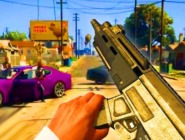
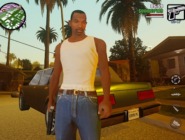
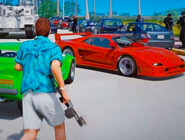
GTA 6 Browser is a fan-made open-world action game inspired by the setting and characters shown for Grand Theft Auto VI. It is not the official Rockstar game and does not reproduce its full story. Instead, the browser project places the player in a simplified version of Leonida where Lucia and Jason can move around the city, use vehicles, carry weapons, and interact with a basic wanted system. The focus is on free exploration rather than a long campaign with cinematic missions.
Exploring the City
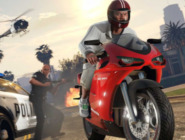
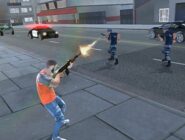
The playable area contains streets, buildings, beaches, highways, pedestrians, traffic, and several districts inspired by Vice City and the wider Leonida setting. Players can travel on foot or take vehicles found around the map. A day and night cycle changes the appearance of the city, while police can begin pursuing the player after crimes are committed. Health, armor, weapons, and collectible cash can also be found while exploring.
Driving, Shooting, and Activities
The game uses familiar third-person open-world controls. Players can:
- move around the city with WASD;
- sprint and jump;
- enter and leave vehicles;
- drive through traffic;
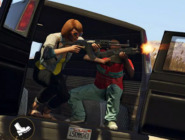
- aim and fire weapons;
- reload and switch between weapons;
- attract police attention;
- collect hidden cash stashes;
- use the map to navigate the city.
Different vehicles can be taken from streets or traffic, and police cars may join pursuits when the wanted system becomes active.
Controls and Progression
GTA 6 Browser does not use traditional numbered levels. The browser project is structured more like a small sandbox, so progression comes from exploring the map, finding weapons and money, starting encounters, driving different vehicles, and experimenting with the available systems. Some versions include simple missions or objectives, but there is no complete recreation of the official GTA VI campaign.
The standard controls use WASD for movement and steering, the mouse for the camera, Shift for sprinting, Space for jumping or using the handbrake, and a separate key for entering vehicles. Mouse buttons handle aiming and shooting, while number keys switch weapons. Since the game is mainly an open-world demonstration, players can choose their own activity instead of following a required sequence. A session can involve driving across the city, starting a police chase, searching for hidden money, or simply exploring the available districts.